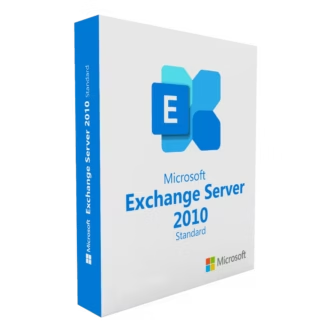
Benefits of Microsoft Exchange Server
Having Microsoft Exchange Server in your company’s IT infrastructure brings multiple advantages, especially in terms of productivity, security, and control. One of the main benefits is the ability to manage the entire email system from a single server, ensuring stability, availability, and stronger protection against external threats.
In addition, Microsoft Exchange Server licenses allow the implementation of advanced features such as disaster recovery, automatic archiving, mail flow rules, spam and malware detection, as well as mailbox management with customized quotas. This makes the environment much more secure and easier to manage than traditional free web-based solutions.
Another great benefit is real-time collaboration. With Microsoft Exchange Server, teams can share calendars, schedule meetings, manage tasks, and coordinate projects from the same platform, improving internal communication and optimizing work processes.
The system’s scalability is also worth highlighting. By purchasing Microsoft Exchange Server, companies can start with a basic installation and expand it as their needs grow. It is a solution designed to adapt both to small offices and to large corporations with multiple locations and hundreds of users.
Why buy Microsoft Exchange Server keys at Digital License?
Buying a Microsoft Exchange Server license at Digital License is a strategic decision that combines security, cost-effectiveness, and trust. This specialized online store offers 100% original Microsoft Exchange Server licenses, digital and ready to be activated within minutes of purchase.
One of the main values of Digital License is its commitment to legality and transparency. All Microsoft Server licenses are verified, legal, and compatible with official Microsoft software versions, ensuring that the system will run smoothly and without interruptions.
In addition, the platform provides personalized customer support in Spanish, both during the purchase stage and throughout product activation. If you decide to buy Microsoft Exchange Server here, you will receive your key by email along with a detailed installation guide and technical assistance to resolve any questions that may arise.
Digital License also stands out for its competitive prices, offering solutions tailored to different company sizes. Whether you need a license for your small office or a more robust solution for a large organization with multiple departments, you will find suitable options here.
How to activate Microsoft Exchange Server? Our practical guide
Once the purchase is completed at Digital License, activating your Microsoft Exchange Server is a simple and well-documented process. First, download the corresponding version of the server from Microsoft’s official site. Then, during the installation process, you will be asked to enter the product key you receive by email.
After the initial installation, you will need to access the Exchange Admin Center to complete the configuration, create mailboxes, define security policies, and adjust the server settings according to your preferences.
If any issues arise during activation or configuration, the Digital License technical support team will be available to assist you step by step. With a valid Microsoft Exchange Server license, your company will enjoy a professional, scalable, and fully controlled email environment.