







-72%
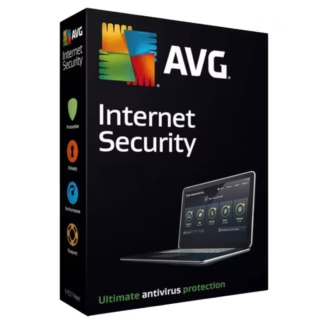
AVG Internet Security
Price range: 19.90 € through 79.90 €

AVG Internet Security is a comprehensive antivirus and internet security solution that protects your devices from viruses, malware, ransomware, phishing, and other online threats. It offers real-time protection, automatic updates, firewall support, and web protection to keep your personal information and devices safe. With multi-device support, you can protect computers, smartphones, and tablets using a single subscription.
To activate AVG Internet Security:
Download the software using the link provided after purchase.
Open the AVG application on your device.
Enter the subscription key received in your order confirmation email.
Follow the on-screen instructions to complete activation.
Once activated, your devices will be protected and AVG will automatically update to maintain security.
AVG Internet Security is compatible with Windows, macOS, Android, and iOS devices. It supports modern operating systems, including Windows 10 and 11, macOS 10.15 or later, Android 8 and higher, and iOS 13 and higher. Internet access is required for activation and updates, and performance may vary depending on the device hardware.
Yes, depending on the subscription purchased, AVG Internet Security can protect multiple devices. Subscriptions are available for 1, 3, 5, or 10 devices, with durations of 1, 2, or 3 years. You can manage all your protected devices from a single AVG account.
If your subscription key doesn’t work:
Make sure you enter the key exactly as shown in your order confirmation email.
Ensure your internet connection is stable.
Try restarting your device and entering the key again.
If the problem persists, contact our support team with your order details — they will assist you in resolving the issue promptly.