Benefits of Windows Server RDS
Having Windows Server RDS in your IT infrastructure offers numerous benefits. First, it centralizes the management of desktops and applications, greatly simplifying updates, configurations, and security policies. With a single software instance on the server, administrators can keep the entire system under control without needing to intervene on each individual device.
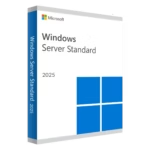
Another major advantage is the reduction of operating costs. By implementing remote desktops, hardware usage is optimized and expenses related to individual licenses and physical device maintenance are reduced. This makes Windows Server RDS License a cost-effective long-term investment.
It also significantly improves data security. By storing all information within the server environment, the risk of data loss or leaks through external devices is minimized. Restricted access policies, multi-factor authentication, and encryption can also be applied, further strengthening corporate network protection.
Finally, scalability is another strong point. Windows Server RDS licenses allow you to increase or decrease the number of users flexibly, dynamically adapting to company growth or seasonal changes in workload.
Why buy Windows Server RDS keys at Digital License?
If you’re considering buying Windows Server RDS, Digital License is the ideal store to acquire original, secure keys at a competitive price. This provider specializes in distributing 100% digital Windows RDS Server licenses, with instant delivery by email and personalized assistance throughout the purchase and activation process.
One of the biggest benefits of buying from Digital License is trust and transparency. Every Windows Server RDS license offered is verified and complies with established legal standards, ensuring a safe implementation within your business infrastructure.
In addition, compared to other distribution channels, Digital License offers more affordable prices without sacrificing quality or support. You can buy Windows Server RDS licenses for different versions of the system, with options adapted for both small environments and complex enterprise deployments.
Technical support is available to answer any questions before, during, or after purchase, making Digital License a reliable partner for companies in all sectors.
How to activate Windows Server RDS? Our step-by-step guide
Activation of Windows Server RDS is quick and simple when you buy through Digital License. Once the purchase is complete, you will receive your activation key by email along with detailed instructions to implement it correctly on your server.
First, go to the Remote Desktop Licensing Manager on your Windows Server instance. Then select the option to install licenses, enter the provided key, and follow the on-screen steps. Within minutes, your system will be ready to accept multiple remote user connections.
If at any point you need technical assistance, the Digital License team is ready to provide personalized support and ensure that the entire activation process runs smoothly. With buying Windows Server RDS licenses in digital format, your company can quickly deploy secure, scalable, and highly efficient remote desktop solutions.