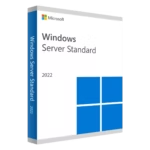
Download link
Read before
WINDOWS VERSION
Make sure your Microsoft Windows version matches the Microsoft Windows version of the key.
CHECK CONNECTION
Verify that you have a stable Internet connection during installation. Please follow these steps for a successful activation.
ONLINE ACTIVATION
If you already have Microsoft Windows 10 Home installed, Try online activation 2-3 times (if successful ignore the rest)
After installing the Operating System. Let’s go and right-click on My Computer and select the properties option and click on the Activate Microsoft Windows option, then activate and enter the key provided.
Installation guide
It is recommended that you complete the product installation and activation before signing in with your Microsoft account.
. Open Activation Settings
- Click on the Start menu.
- Go to Settings → Update & Security → Activation.
Alternatively, press Windows + I, then type Activation in the search bar.
. Enter the Product Key
- If Windows is not activated yet:
- Click on Change product key.
- Enter your 25-character product key (e.g., XXXXX-XXXXX-XXXXX-XXXXX-XXXXX).
- Click Next and then Activate.


If online activation was not sucessful
Activate your password by phone: to do this, select «Show other activation methods» -> «Next» -> «Automatic during Windows activation. Use the phone system ».
Choose your location and call one of the numbers shown.
- Activation through Microsoft’s central activation center:
- Please try 2 or 3 times in case it doesn’t work right away.
- Activation computer does not always recognize input immediately